
hero11official.net guide · 28 October 2026
Hero11 Login and Registration Guide
hero11official.net guide · 28 October 2026
Hero11 login describes an existing session. Hero11 registration describes creating one. The files only support the first, and only from the inside: a sheet that is already open over a signed-in account. This site never asks for a password, an email, a phone number, or an OTP. People who search Hero11 Official Apk and then search Hero11 login are often trying to do both on the same website. Split the tasks. Read the account sheet here. Get the file, if you want it, from the download page. Sign in only inside the app.
Do not type a password into a page that only talks about Hero11
This host is hero11official.net. It has no auth screen, no register control, and no password box. A copied design that asks for credentials is a different site, even when the colors match this guide. Check the host before you continue. The short version is on the login page. Nothing in that page, and nothing in this article, is a form you can submit.
The signed-in sheet
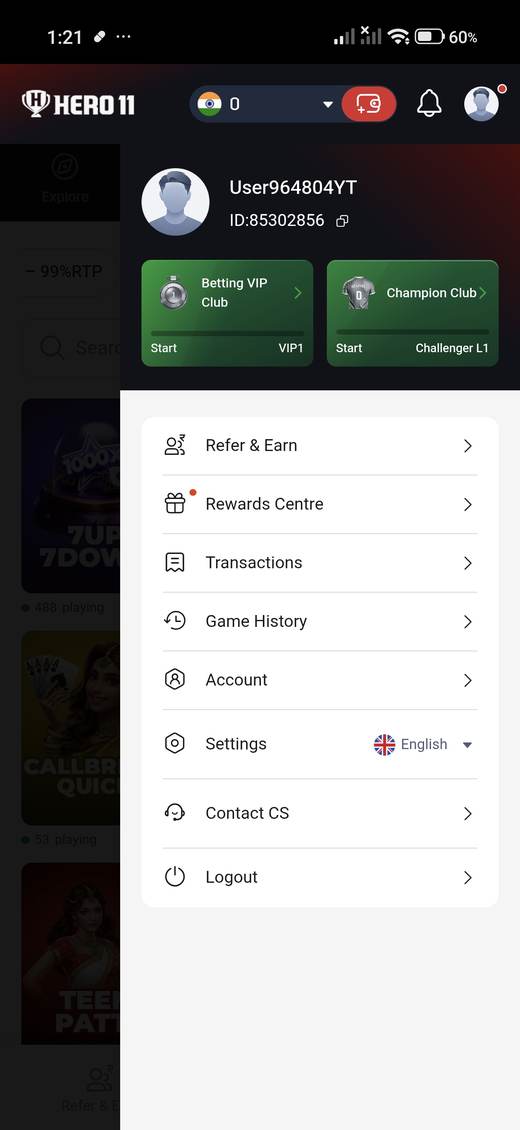
Profile opens a sheet with a username in the style User plus characters, a numeric ID with a copy icon, Betting VIP Club and Champion Club cards, and rows for Refer & Earn, Rewards Centre, Transactions, Game History, Account, Settings, Contact CS, and Logout. English was the language shown, next to a UK flag. That flag is a language control, not a country of service. Transactions and Game History stay separate rows, so the app, at least on this screen, does not fold them into one list. None of those rows was a create-account form. The Account row was not expanded. Contact CS was not opened, so no support handle is named on this website.
Registration stays undocumented
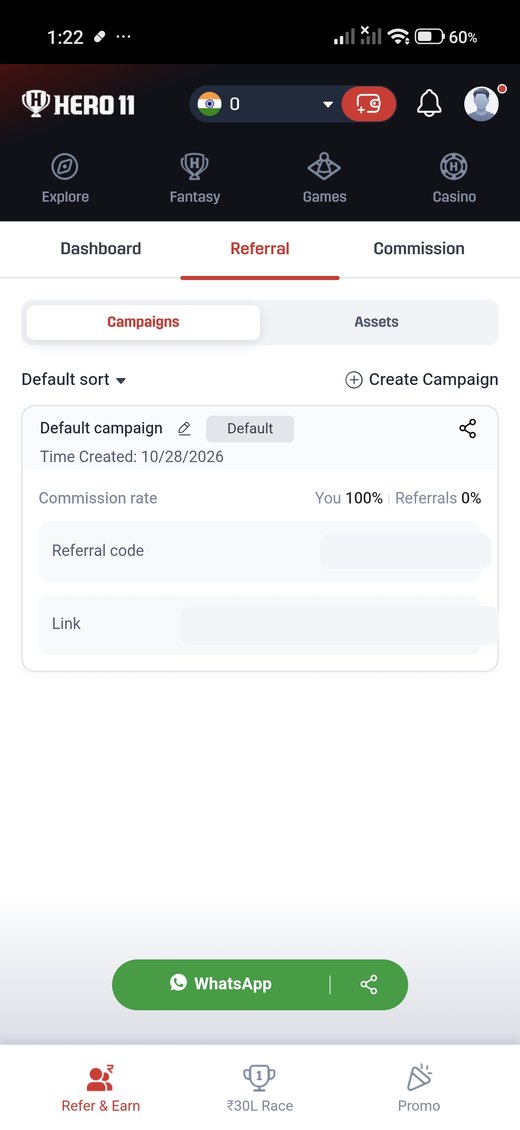
A welcome promotion mentions an invite and a coupon. The referral tab can create a campaign, and one capture shows a share path that includes WhatsApp. Neither screen lists the fields a new person must complete. Field names, OTP steps, password rules, and recovery options were not captured. Confirm any request on the device, inside a build you meant to open. Do not reconstruct a sign-up form from a coupon overlay. The campaign code in the screenshots stays covered. It is not a code this guide wants copied onto a public page.
Habits that follow from the sheet
- Use Logout on a shared device. The row is at the bottom of the sheet.
- Copy the account ID if support asks for it. Do not post it publicly beside a password.
- Treat Contact CS as an in-app route. No support handle was supplied for this website.